Chat Box¶
Picture
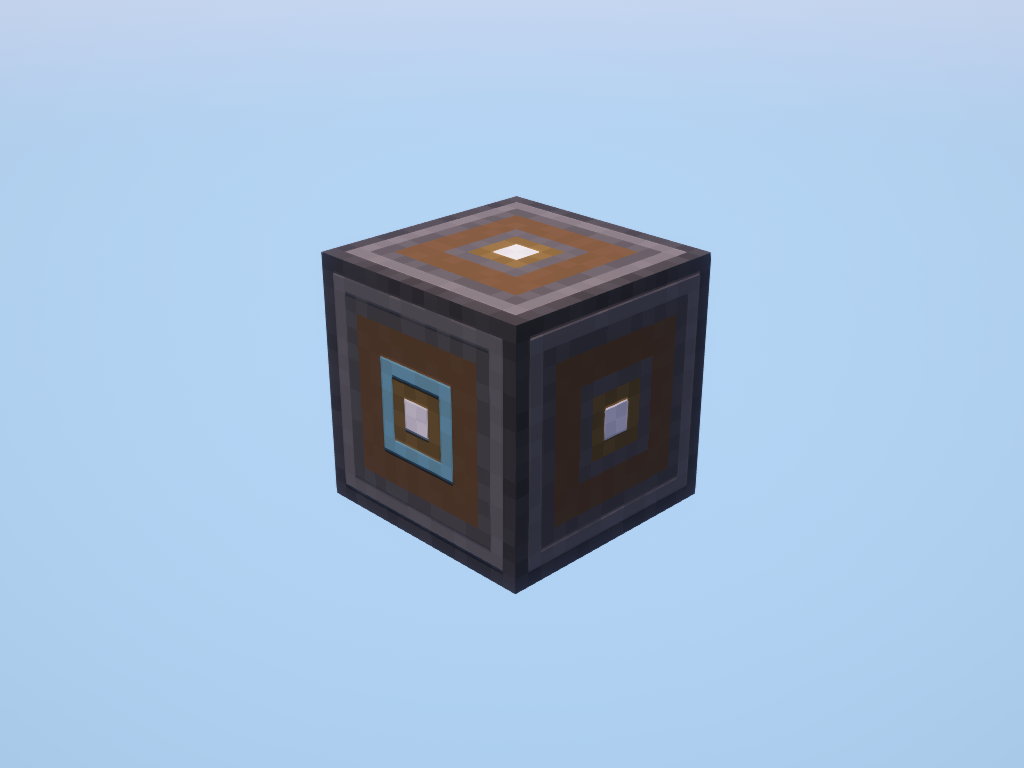
The Chat Box is able to read and write messages to the in-game chat. You can send messages to just one player or to everyone.
Hint
If you prefix your message with a $ the message will not be sent to the global chat but it will still fire the chat event.
Example:
$this message is hidden!
Events¶
chat¶
Fires when a chat message appears within a chatbox's detection range.
Values:
1. uuid: string Message sender's UUID. nil if triggered from a /say command
2. name: string Message sender's name. [say] if triggered from a /say command
3. message: string The chat message
4. isHidden: boolean Whether or not the message is privately sent to chatboxes
5. encodedUtf8Message: string The encoded chat message from utf8
1 2 | |
Info
The chat event will fire when a chatbox has been connected to a computer. You don't have to .wrap() or .find() the peripheral (unless you intend to send messages).
Functions¶
sendMessage¶
sendMessage(message: string, options: table | nil) -> true | nil, string
Broadcasts a message to the global chat or if range is specified it is sent to all players in the range.
Returns true if the message is successfully sent, or nil and an error message if it fails.
options format:
{
    utf8: boolean = if strings and message should be treated as encoded utf8
    range: number = the broadcast range
    prefix: string = change the text that appears inside the brackets at the start of a message. Defaults to "AP".
    brackets: string = used around the prefix. Must specify a two length string like "[]", "()", "<>", ...
    bracketColor: string = specifies the color to use for the brackets, must be in the [MOTD code format](https://www.digminecraft.com/lists/color_list_pc.php).
}
Returns true if the message is successfully sent, or nil and an error message if it fails.
1 2 3 4 5 6 7 8 9 10 | |
Tip
Just like the bracketColor argument you can add colors to the message and prefix arguments using the same MOTD color code format.
Since CC doesn't accept non-ascii charactor §, you should replace it with &.
If you want to send colored message but not only colored brackets, please use sendFormattedMessage() instead.
sendMessageToPlayer¶
sendMessageToPlayer(message: string, username: string, options: table | nil) -> true | nil, string
sendMessage() this sends a message to one specific player. Specify the player to send the message to with the username parameter.
username is player's in game name or its uuid.
1 2 3 | |
sendFormattedMessage¶
sendFormattedMessage(json: string, options: table | nil) -> true | nil, string
sendMessage() except it takes a json text component as the first parameter.Find out more information on how the text component format works on the minecraft wiki. You can generate the json at minecraft.tools.
1 2 3 4 5 6 7 8 9 10 11 12 13 14 15 16 17 18 19 20 21 | |
sendFormattedMessageToPlayer¶
sendFormattedMessageToPlayer(json: string, username: string, options: table | nil) -> true | nil, string
sendFormattedMessage() this sends a formatted message to one specific player. Specify the player to send the message to with the username parameter.
username is player's in game name or its uuid.
sendToastToPlayer¶
sendToastToPlayer(options: table) -> true | nil, string
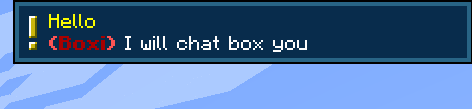
options format:
{
    utf8: boolean = if strings should be treated as encoded utf8
    message: string = the message in the toast
    title: string = the title of the toast
    player: string = player's name or uuid
    prefix: string = change the text that appears inside the brackets at the start of a message. Defaults to "AP".
    brackets: string = used around the prefix
    bracketColor: string = specifies the color to use for the brackets
}
1 2 3 4 5 6 7 8 9 10 | |
sendFormattedToastToPlayer¶
sendFormattedToastToPlayer(options: table) -> true | nil, string
sendToast() except it takes a json text component for message, and title fields.Find out more information on how the text component format works on the minecraft wiki. You can generate the json at minecraft.tools.

1 2 3 4 5 6 7 8 9 10 11 12 13 14 15 16 17 18 19 20 21 22 23 24 | |
Changelog/Trivia¶
1.19.2-0.7.33r/1.20.1-0.7.37r
Added sendToastToPlayer and sendFormattedToastToPlayer
0.7r
Added the uuid and isHidden parameter to the chat event. Also added the sendFormattedMessage function.
4.0b
Fixed the chat box so that is should now work in LAN worlds
0.1b
Added the chat box. This was the first feature of the mod.